What is the Clash of Critters updates page?
The Clash of Critters updates page tracks changes that can affect codes, events, critters, teams, Zobos, Badge Dojo, Card Album, Fishing Contest, and guide recommendations.
Updates hub
Track Clash of Critters updates by player impact: codes, events, new critters, Zobos, badges, cards, guides, and the pages that need a fresh look after each change.
The Clash of Critters updates page is the change-routing hub for the wiki. It tells players which page to revisit when a new code, event, critter, badge route, Zobo, card set, fish pool, or balance note appears. A useful update page should not read like a loose diary. It should answer the player question behind every patch: what changed, what page explains it, and what should I do differently today?
Use this tracker after checking codes, when a seasonal event feels different, or when a guide recommendation no longer matches what you see in game. If the change affects rewards, start with the event guide. If it affects a critter, role, or upgrade path, compare the Critters database, tier list, and best team pages. If it affects enemies, maps, or stage pressure, check Gameplay and Zobos before spending resources.
The competitor-style page standard is simple: every important update needs a visible clue, a structured table, and a decision route. That is why this page now uses image-backed update cards, impact tables, and a refresh queue rather than paragraphs alone.
Visual update queue
Start with the card that matches the change you noticed. Visual routing makes the page feel like a working wiki hub instead of a plain changelog.
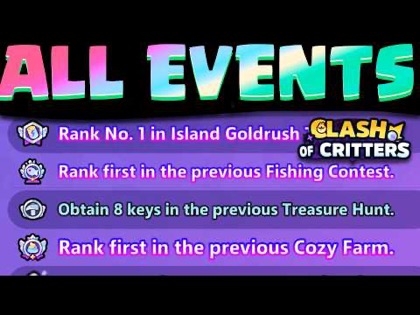 Events
Check this route when banners, reward windows, or active events change.
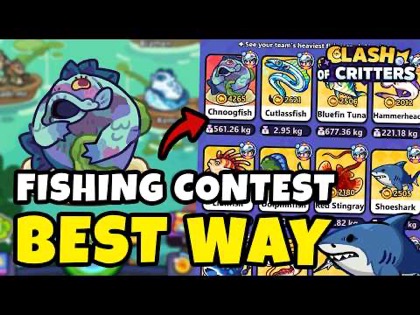 Event
EventUse when fish pools, weights, attempts, or reward targets are refreshed.
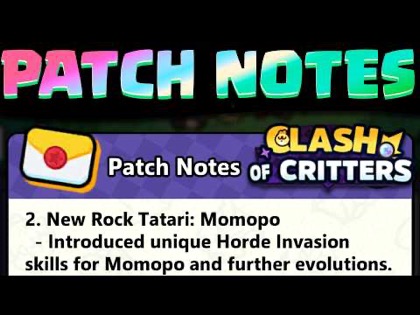 Collection
Use when new sets, card images, or collection rewards appear.
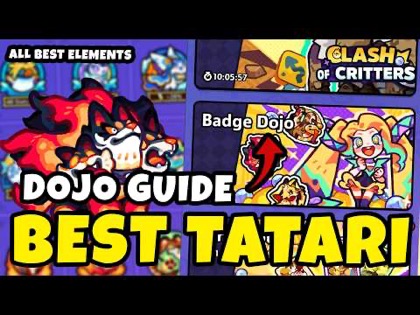 System
Use when trainers, badge paths, challenge groups, or requirements shift.
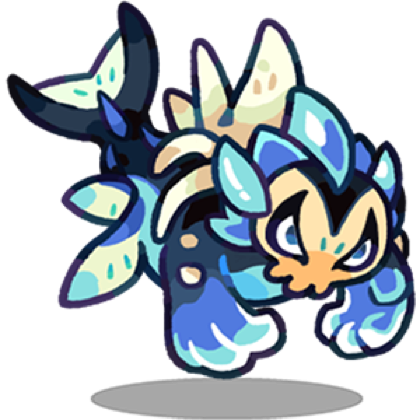 Database
Use when a new Tatari, element note, role fit, or profile image is added.
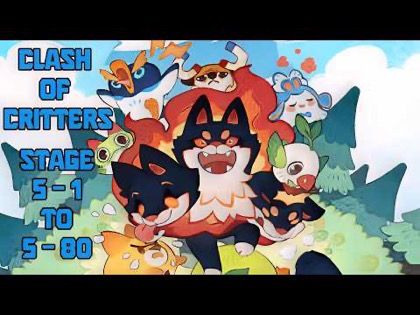 Stage
StageUse when enemy pressure, role checks, or progression advice needs retesting.
Update tracker
| Update type | What can change | First page to recheck | Decision impact |
|---|---|---|---|
| New code | Redeem rewards, currency, event items, or expiry windows. | Codes | May change what you can upgrade today. |
| New event | Reward targets, attempts, stop points, and temporary priorities. | Guides | May shift resources toward a timed goal. |
| New critter | Role coverage, element fit, team options, and tier notes. | Critters | May add a better upgrade target. |
| Balance change | Damage, survival, support value, or boss usefulness. | Tier List | May move a unit up or down. |
| New enemy or stage | Counterplay, range pressure, frontline needs, and retry plans. | Zobos | May require a different lineup. |
| New collectible | Card, fish, badge, or gallery asset coverage. | Card Album | May change collection and reward planning. |
An update note should trigger a check, not an automatic rebuild. If a new event starts, set a reward goal before changing upgrades. If a new critter appears, compare its role against your current team before spending. If codes add resources, decide whether they support feeding, evolution, or a timed event goal.
The clean workflow is: confirm what changed, identify affected pages, make one decision, and test whether that decision improves progress. If nothing important changes for your account, keep following the existing team plan. This keeps Clash of Critters updates useful instead of noisy, especially for players who only need to know whether their next resource spend is still safe.
For content maintenance, the same rule applies. A visual database update should add the image, table row, alt text, and related link together. A guide update should add the new player decision, not just rewrite the intro. A hub update should improve routing so players can reach the right page faster.
Decision aid
| Priority | Update signal | Player action | Wiki action |
|---|---|---|---|
| Urgent | Code expires soon or event reward changes. | Claim rewards and set a short-term spending plan. | Refresh Codes and the affected event guide first. |
| High | New critter, role value change, or stage pressure shift. | Compare team roles before upgrading a replacement. | Review Critters, Tier List, Best Team, and stage pages. |
| Medium | New badge, fish, card, enemy, or gallery asset appears. | Check whether the new item affects rewards or counters. | Add local images, table fields, and related page links. |
| Low | Small copy, layout, or routing improvement. | Keep current plan unless the page says otherwise. | Queue for the next content maintenance pass. |
Refresh queue
Check first when rewards, redemption windows, or starter resources change.
Update targetRefresh when critters, roles, events, or stage pressure shift value.
Update targetRefresh when event rewards, attempt math, or fish pools change.
Update targetRefresh when badge paths, trainers, or challenge readiness notes change.
Update targetRefresh when new profiles, element notes, or role explanations are added.
Update targetRefresh when maps, systems, skills, or Zobos change how players progress.
A meaningful update changes a player decision. A new code changes what resources are available. A new event changes which rewards are worth chasing. A new critter changes team comparisons. A new Badge Dojo, Card Album, Fishing Contest, or Zobos asset changes database coverage. Small wording fixes matter for quality, but they should not be treated like strategic changes.
The tracker separates content maintenance from game-impact changes. Content maintenance keeps pages polished and indexable. Game-impact changes need faster routing because players may act on them immediately. This distinction helps the wiki stay useful without making every minor edit feel urgent.
When an update adds a visual entity, the page should receive the asset and the explanation together. A picture without a decision note is only decoration. A note without a picture feels thin when the competitor uses visual proof. The stronger pattern is image, name, fields, decision, and next link.
Future Clash of Critters updates should use a consistent archive format: date, update type, affected pages, player-facing action, and follow-up status. That format helps searchers understand whether an older guide still reflects the current game state.
A good entry might say: "Event reward check: Fishing Contest rewards and guide route reviewed; players should confirm stop points before spending attempts." A weaker entry would only say "Fishing Contest updated." The first version tells players what changed and what to do. That is the level of specificity this wiki should keep across every update page.
FAQ
The Clash of Critters updates page tracks changes that can affect codes, events, critters, teams, Zobos, Badge Dojo, Card Album, Fishing Contest, and guide recommendations.
Players should check whether an update changes rewards, team priority, active events, or code availability before spending resources.
Some updates can change tier priority when they add critters, adjust events, or make a role more valuable in current content.
Codes, event guides, tier list notes, and affected database pages should be checked first because they influence immediate player decisions.
Updates for new critters, Zobos, badges, cards, fish, maps, or event screens should include local images so players can recognize the changed content quickly.
Go to Codes for redeem rewards, Guides for event routes, Critters and Tier List for team changes, or the matching database page when the update adds a visual collectible or enemy.