What is the Clash of Critters Guides hub?
The Clash of Critters Guides hub is the routing page for specific player problems such as stages, feeding, Boss Challenge, Gold Rush, Dojo, stars, PC play, and event planning.
Guide hub
Choose the guide that matches your current problem, from stages and events to feeding, Dojo, stars, teams, and evolution.
The Clash of Critters Guides hub should work like a player problem map, not a loose list of links. Players arrive with a stuck stage, confusing event, feeding question, Dojo challenge, star goal, or team-building decision. This page groups those needs so every guide has a clear reason to exist and a clear next step.
For SEO and usability, each guide should target one main query and answer it directly. A stage guide should explain the stage problem. An event guide should explain rewards, stop points, and team choices. A progression guide should explain resource timing. That pattern makes the site easier for players and easier for future AI work to maintain.
The page now follows the same production method as the competitor-style hub: pick the player intent first, route that intent to the right child page, support the route with a table, then show a visual guide library so the hub feels complete at a glance.
How to use this hub
Choose the path that matches your current account state. The best guide is not always the newest one; it is the one that changes your next decision.
Start with Beginner Guide, Codes, How to Feed Critters, and Tier List before chasing advanced event rewards.
Stuck pathUse Stage 5-30, Roles Guide, Zobos, and Best Team when progress stops even after normal upgrades.
Event pathUse Event Rotation first, then open Fishing Contest, Island Gold Rush, Marathon Party, or Gold Rush Best Team.
System pathUse Dojo Guide, Elements Guide, Roles Guide, Card Album, and Evolution Guide for permanent account planning.
Guide map
| Problem | Best guide | Why it helps | Supporting page |
|---|---|---|---|
| Stuck on a stage | Stage 5-30 | Shows role checks and upgrade focus. | Zobos |
| Resource confusion | How to Feed Critters | Prevents scattered feeding. | Evolution |
| Boss pressure | Boss Challenge | Explains survival and focused damage. | Best Team |
| Event choice | Event Rotation | Helps pick the right event to chase. | Updates |
| Dojo route | Dojo Guide | Connects badge progress to team readiness. | Badge Dojo |
| Element confusion | Elements Guide | Separates matchup value from raw rarity. | Critters |
| Role imbalance | Roles Guide | Diagnoses missing damage, control, support, or frontline safety. | Best Team |
All guides
The competitor guide hub is more visual; this library now uses local guide thumbnails so every route feels like a real page, not a plain link list.
 Stage wall
Beat the stage wall with role checks and upgrade focus.
 Progression
Plan food spending before Candy and evolution choices scatter.
 Bosses
Shift from wave clear to focused boss damage and survival.
 Event
EventCompare fish collection goals, rewards, and stop points.
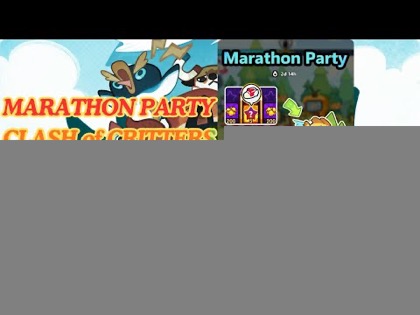 Event
EventRoute timed rewards without derailing permanent progress.
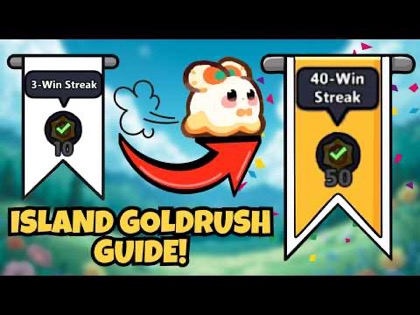 Event
EventPlan event teams and resource stops for Gold Rush.
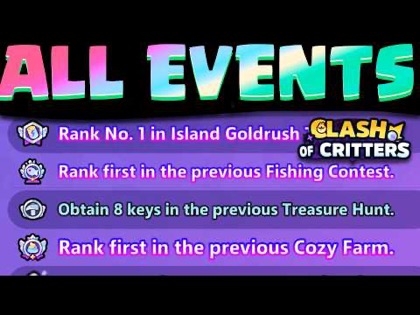 Planning
Choose which event deserves time and resources next.
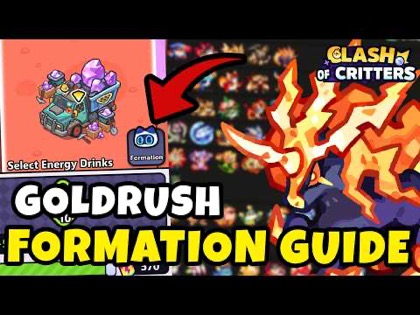 Teams
TeamsBuild a Gold Rush lineup around reward pressure.
 Tier list
Rank units for wave pressure and invasion routes.
 System
Read element matchups without ignoring team roles.
 System
Diagnose missing damage, control, survival, or support.
 System
Prepare badge paths around readiness and element pressure.
 Collection
Turn album images and missing cards into collection choices.
 Progression
Find star sources and avoid low-value detours.
 Setup
SetupSet up PC play when mobile progress needs a bigger screen.
BeginnerStart with codes, teams, feeding, and safe upgrades.
 Progression
Decide when evolution is worth the resource cost.
Every new guide should follow the project rule: choose one keyword, inspect the competitor page when one exists, add the modules players expect, and verify the page before handoff. That means visible breadcrumbs, Article and FAQ schema, tables or decision aids, internal links, and enough page-specific copy to answer the query without feeling like a placeholder.
This page is also the upward link target for guide articles. When a new page is added, it should appear here, in the sitemap, and in at least one related section from another page. That prevents orphan content and makes the site feel like a connected wiki.
The practical content brief is fixed: player problem, one-sentence answer, common mistake, what actually matters, decision framework, before-you-act checklist, related entities, related guides, FAQ questions, and cover image. If a future page cannot fill those fields, it should not ship as an indexed guide yet.
A guide should not be published just because a competitor has the URL. It needs a job. For this site, the job is to help a player make one decision: how to beat a stage, whether to spend on an event, how to feed a critter, when to evolve, or which team role is missing. The page should say that job in the first screen.
The hub also needs maintenance discipline. When a guide is thin, it should be marked for expansion rather than hidden in the site. When a guide has a table, FAQ, and related links, it becomes easier for players to move through the wiki naturally. That internal path is what makes the guide library feel professional instead of generated.
FAQ
The Clash of Critters Guides hub is the routing page for specific player problems such as stages, feeding, Boss Challenge, Gold Rush, Dojo, stars, PC play, and event planning.
Beginners should start with the beginner guide, codes, tier list, feeding guide, and best team guide before chasing advanced events.
Use the Stage 5-30 guide for a stage wall, Roles Guide for team diagnosis, Zobos for enemy pressure, and Best Team when the lineup itself needs rebuilding.
Use Event Rotation first when you do not know which event matters, then open Fishing Contest, Island Gold Rush, Marathon Party, or Gold Rush Best Team based on the active event.
Problem-based grouping helps players find the exact next action instead of browsing a long list of unrelated articles.
New guides should target one keyword, answer one problem clearly, include tables or decision aids, add local images when useful, and link back to the Guides hub.